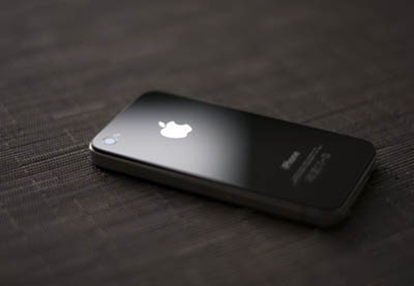
Showing posts with label iPhone. Show all posts

Sunday, July 17, 2011

Comparing Nokia N8 photos vs iPhone photos

imageNokia N8 Unlocked GSM Touchscreen Phone Featuring GPS with Voice Navigation and 12 MP Camera--U.S. Version with Warranty (Gray)

Make the most of every moment, then play it all back in HD with the Nokia N8. This high-tech device offers video recording in HD, plus instant video editing, a 12 megapixel camera and the ability to upload video to share with your friends and family. The Nokia N8 also packs a 3.5” touchscreen, free* voice-guided navigation from Ovi Maps, apps from Ovi Store and an impressive design, making this the phone that has it all. Live in high definition. The Nokia N8 lets you shoot HD video in 720p resolution right on your phone, while preloaded imageediting software makes it easy to instantly edit your video. Built-in HDMI output allows you to use an HDMI cable (not included) to connect the device to your compatible TV or computer and play back your videos and other HD content on your device in breathtaking HD. Or upload your videos to your PC to share with friends and family. The Nokia N8 also features a best-in-class, 12 megapixel camera with Carl Zeiss optics to capture high-quality images. Get what you want and get where you want to go. Ovi Store offers thousands of available apps, games, videos and more. Stay in touch with apps like Snaptu; experience the best in photo and video apps with Qik, Photo Twister and Snapfish; and get ready for other great apps coming soon, including Open Table, SalesForce, Pocket Movie and Accuweather. Plus, find the route to anywhere with preloaded Ovi Maps, complete with free* voice-guided navigation to get anywhere you need to go, 3D landmarks and a share location feature to let Facebook friends know where you are. Discover a new standard in mobile entertainment with a vibrant 3.5” OLED capacitive touchscreen display. Connect your device to your home theater system to take the HD experience even further with Multichannel 5.1 Dolby Surround Sound. With an eye-catching exterior to match the on-screen experience, the Nokia N8 always looks good. Connect in HD today with the Nokia N8. * Data charges may apply.
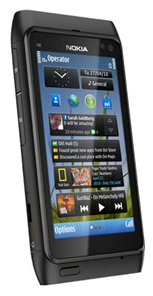
Comparing N8 photos vs iPhone photos:

  • iPhone screen is 960x640, while N8 screen is 360x640.
  • A picture when enlarged will look more blurry on the N8, compared with the same picture enlarged on the iPhone.
  • This doesn't mean the N8 camera takes blurry pictures.
  • This means the screen resolution is better on iPhone
  • This means the camera is better on N8.
    The bad quality UI complaints are mostly due to the 3rd party widgets included from YouTube, CNN, BBC, National Geographic, Paramount movie previews.


imageMy phone crashed (UI got stuck) due to some third party app, and I tried to remove the battery (as with most other phones) but couldn't.

I realized I did not need to remove the battery...just press the power button for 5-8 seconds and the phone will reboot.

BTW, if you'd ever need to replace the battery yourself, just use a small "allen key" type screwdriver.

The Nokia N8 multiple home screens are a great way to organize yourself and reduce phone screen clutter.

If you need a portrait mode qwerty keyboard, swype or dayhand maybe interesting options for you. I personally need a qwerty keyboard in portrait mode.

Keep in mind that qwerty keyboard is just a burden for most people (esp. older people in Asia). Such people will be content with just reading messages, sending a few "very short" messages with the T9 keypad...while making a lot of calls and taking a lot of pictures anytime anywhere.

Among the things I love about this phone:

  1. N8 is able to play all sorts of vdo file formats.
  2. Camera gives you 12MP pictures, and HD video! Just make sure to peel the plastic off the lens on the back.
  3. Connectivity cables included (usb to thumb drive, usb to pc/mac, hdmi to tv is flawless)
  4. Multi-tasking
  5. Long battery life
  6. Internet, Email, or Web Connectivity can be set to be via "WLAN only" or "WLAN preferred" or "3G only", etc. You can minimise mobile operator fees as you like.
  7. Combine Push Email with your choice of network connectivity via WLAN and you start to save money with the lower phone bill.

imageThis is my opinion on the iPhone vs N8 issue...
- US journalists/bloggers who write N8 reviews are mostly new to Nokia/Symbian.
So they will only "evaluate" their comfort level with the N8...for just a couple of days.
They admit (very briefly) that "I'm an iPhone user, I tried to use N8 for x days", before they start hammering the N8.
- N8 gives you the gear to lower your phone bill
- Hackers have traditionally been about lowering their AT&T phone bills. Many in Silicon Valley, including Steve Jobs, grew up with this mentality. Nokia probably realize this and gives you a choice...the press is not giving Nokia the credit for giving you the freedom.
- Nokia N8 robust hardware will still be handy after many years of use and software updates.
Part of the "UI problem" is due to the less tightly structured Symbian UI development kit, by allowing 3rd party developers the freedom to create their own look and feel.
So each app on Symbian can have a different UI structure and user's experience may not very be consistent across different apps even though they are using the same device (N8).
The less tight structure of Symbian APIs has proved to be a strength as Symbian has evolved to support a much larger variety of hardware types with different phone form factors:
- some touch screen
- some T9 keypad
- some qwerty keypad
Nokia, as a leading phone manufacturer, offers a larger choice of phone form factors for a larger customer base...that's the reason Nokia is a leading phone manufacturer.
Each form factor will be preferred by different types of users, since there is a much wider consumer base.
Many business users will prefer a qwerty keyboard.
Many users will prefer a T9 keypad and find the qwerty keyboard a distraction with too many buttons...for example, they usually do not do a lot of texting or type on a computer keyboard.
Many people like the "feel" of a touch UI...but that also means that each app is more likely to have "touch buttons" on a different location of the screen.
That means touch UI phones require the users to "look before you touch".
That means with the keyboard or keypad, users can "feel" as they "touch" the phone buttons without looking.

Sunday, July 3, 2011

Review: Nokia E7, Design Interestings, OS Lose Looks

In the world of clever handphone, In this time nokia with os symbian actually exclusive of again compared with the friends has liked android, iOS apple and Windows phone 7. But there is nothing wrong we lengten nokia E7 this, Which according to him be nokia communicator new generation, Still to carry os symbian 3.

image

First we can handphone design exercise nokia E7. Since beginning nokia always produce handphones very attractive, Design that tempt. Speak design exercise, Nokia can be said enough capable and Undefeated by the competitors. Materials that used nokia E7 very good and Steady, Bot an easy the heavy, Steady to at grasp. Is not seen gimcrack materials ingredient, Handphone nokia E7 genuinely seen elegan and Tempt for look and Held.

At moment the period nokia n97 that use symbian OS v9.4 series 60, Author will felt a little frustration os he, Because excessively find “lag” (hang a moment), Then widget-widget also often make handphone must often at restart (soft reset). In this time nokia E7 carry OS bewer that is symbian 3. After tried author, The nuance exercise has stilled to resemble with symbian antecedent but exercise “lag” he not too disturbed although sometimes appear a little. Should a OS clever handphone must not be found lag that can disturb navigation and Operation. When compared with OS Android, iOS Apple and Also Windows Phone 7 they were all really more flee and Very responsive membanding Symbian 3 this.

At Nokia E7 with OS Symbian 3 prepare “aplikasi market” that named ovi store. Resemble with market Android also Apple app store, Prepare applications and Game. Although not as much as android and Apple app store, Enough reasonable because game that provided enough update, Like angry bird can be perfominged at handphone Nokia E7.

Hit camera for photo and Video that produced very good, Ably 8 MP make sharp photo quality and Clear. Sail 4? Wide make to see video very pleasant mempandangan eye. Quality suaranyapun very good, Good, Clear and Hard. With carry dual camera Nokia E7 this can do video calling call. Then follow comfortable matter author from nokia moment types, Asa steady, Even less when want to write madarin article pinyin very easy. But of course type with keypad keyboard, Not keyboard at sail touch it.

For you that want to buy Nokia E7, Positive matters that you will get will like materials casing good, Elegan, Delicious heavy to at grasps, For photo, Video and Voice very maximal, Can do video call, Sail enough wide, Touch screen, Can perfoming game like angry bird,  and Found sliding keyboard (you can type at keypad also at sail). But don't hope mobility from OS.

image

Wednesday, June 29, 2011

Apple to Launch iPhone 5 and iPhone 4S September

image

Based on current information, it is estimated the next generation iPhone will come next September. And interestingly, not just one, but two new iPhone model that Apple will be released later.

It was, as revealed by an analyst from Deutsche Bank, Chris Whitmore, was quoted as saying via bgr.

In his report, Apple is rumored to be having 5 new iPhone as a successor to the iPhone 4. In addition, Apple also has an iPhone 4S are now reportedly in the cultivation period. 4S iPhone is said to be a simple upgrade version of the iPhone model 4. As a result of this smartphone is expected to have the same physical design of the iPhone 4 today.

Whitmore believes the iPhone will be launched 4Sas a prepaid phone for $ 349 with a data plan.

"With the struggle waged by Nokia and RIM, the right time for Apple to do the smart phone market penetration of aggressive middle segment (ie the category of $ 300-500) to dramatically expand (total addressable market) and market share," writes Whitemore.

Tuesday, June 28, 2011

Nokia N9, Full Swipe Based Meego

image

After a long-awaited, finally Nokia N9, Meego-based smartphones from Nokia officially introduced recently. With his official announcement is no doubt some of the security features of this smartphone is finally revealed.

Nokia N9 present to introduce an innovative new design, which replaces the home button with a simple motion:swipe. No matter where you are in an application, swipe from the edge of the screen will take you to the main screen.

Three main screen of the user interface is designed to provide quick access to things that are most important people are doing with a phone: use the application, keep up-to-date with notifications and social networking, and switching between activities.

image

image

image

The design of the Nokia N9 industry is an example of the manufacture and exceptional art of a product. The body is made of a single molded polycarbonate with high precision and flowing gracefully into the glass which is also formed with the beautiful. Black in appearance and laminated to make the user interface look like floating on the surface of this phone.

"With NokiaN9, we want to design a better way of using a mobile phone. For this we innovate in the design of hardware and software. We changed the way of thinking of a home key to a simple movement, "said Martko Ahtisaari, Nokia's Head of Design.

Camera 8 MP Carl Zeiss auto-focus on the N9 is able to capture HD quality video. Not quite up there, the lensare great at N9 kemera also allows the performance of the camera still look good, even in low-level lighting conditions. As a result Nokia N9 was claimed as one of the best camera phones ever produced.

While measuring 3.9 inch AMOLED screen with a resolution of 854x480 pixels which dominates the front of the N9 is said to made of scratch-resistant glass and curved.

Nokia N9 alsocomes with various features such as the latest chic Near Field Communication (NFC) which allows users to easily variety of pictures and video between devices by touching together.

Interestingly, Nokia N9 is also claimed as the world's first smartphone that comes with support for Dolby ® Digital Plus decoding and Dolby Headphone, the user can feel the surround soundissued this smartphone.

Nokia N9 was originally going to come with three colors namely black, blue, red and purple with 2 memory capacity options: 16GB and 64GB and 1GB of RAM.

Specifications:

  1. Network: 2G Network GSM 850 / 900 / 1800 / 1900; 3G HSDPA 850 / 900 / 1700 / 1900 / 2100;
  2. Dimensions: 116.5 x 61.2 x 12.1 mm, 76 cc Weight: 135 grams;
  3. Screen: 3.9 inch, AMOLED capacitive touchscreen, 16M colors, 480 x 854 pixels, Gorilla glass display, Anti-glare polariser, Multi-touch input method, Proximity sensor for auto turn-off, Accelerometer sensor for auto-rotate the UI;
  4. Camera:8 MP, 3264x2448 pixels, Carl Zeiss optics, autofocus, dual LED flash, Geo-tagging, face detection, touch-focus, video 720p @ 30fps;
  5. Memory: 16 / 64 GB storage, 1 GB of RAM, microSD up to 32GB;
  6. Connectivity: Wi-Fi 802.11 a / b / g / n, Bluetooth v2.1 with A2DP, EDR, 3G HSDPA, 14.4 Mbps; HSUPA, 5.7 Mbps;
  7. CPU: 1GHz Cortex A8 CPU, PowerVR SGX530 GPU, TI OMAP 3630 chipset;
  8. Operating System: OS MeeGo,v1.2 Harmattan;
  9. Messaging: SMS (threaded view), MMS, Email, Push Email, IM
  10. Browser: WAP 2.0/xHTML, HTML, RSS feeds 
  11. GPS: A-GPS support; Ovi Maps;
  12. Java: MIDP 2.1
  13. Other Features: microSIM card support only, SNS integration, Active noise cancellation with dedicated mic, Digital compass, TV-out (720p video) via HDMI and composite, NFC support, Dolby Digital Plus via HDMI, MP3/WAV/eAAC + / WMA / FLACplayer, MP4/H.264/H.263/WMV player, Document editor (Word, Excel, PowerPoint), PDF viewer, Video / Photo editor, Voice memo / command / dial, Predictive text input (Swype), audio jack 3.5 mm, Dolby Mobile sound enhancement, Dolby Headphone support;
  14. Battery: Li-Ion 1450 mAh (BV-5JW)

Monday, June 27, 2011

Sony Ericsson Xperia Active, Sport appearance Android Smartphone

image

In addition to introducing Xperia Ray, in the event CommunicAsia 2011, the Japanese-Swedish joint venture vendor also released Xperia Active. An Android smartphone is intended for users who have a sporty lifestyle.

No wonder the active Xperia claimed to have advantages such as anti against dust and water plus scratch-resistant display with support for 'wet finger tracking'. As a result the touch screen can stillworks well even though the user's finger in a state of sweat.

To give the best performance, Xperia active armed with a 1 GHz processor Snapdragon. 3-inch screen sizes Reality tech Mobile Display BRAVIA Engine, with HVGA resolution (480 x 320 pixels).

image

For business image appearance Xperia Active equipped with a 5 MP camera with LED flash and can record video at 720p. Capacity of 320 MB of internal memory which can be expanded via microSD cards.

Connectivity offered Xperia sector is also very active in the presence of adequate support for Wireless N with DLNA, quad-band GSM, GPS, digital compass, Bluetooth, and 3.5 mm audio jack.

For systemsoprerasi, Xperia active running Android v2.3 aka Gingerbread and will be packaged with a variety of sporting applications. The phone also will be compatible with ANT + technology to monitor heart rate in real-time.

With its advantages as a mobile phone that is resistant to dust and water, able to remain active Xperia live in a depth of 1 m of water for half an hour very well.

Sony Ericssonactive would glide in the third quarter of this year. Only quite unfortunate, what price tag of this smartphone is not yet known. So, we wait on the game.

Specifications:

  1. Networks: 2G GSM 850 / 900 / 1800 / 1900 3G HSDPA 900 / 2100 HSDPA 1900 / 2100 / 800;
  2. Dimensions: 92 x 55 x 16.5 mm; Weight: 110.8 grams;
  3. Screen: 3.0 inch, LED-backlit LCD, capacitive touchscreen, 16M colors, 320 x 480 pixels, Accelerometer sensor for auto-rotate, Bravia Mobile Engine, Multi-touch input method, Proximity sensor for auto turn-off, touch sensitive controls, Scratch-resistantdisplays, Timescape UI;
  4. Camera: 5 MP, 2592х1944 pixels, autofocus, LED flash, Touch-focus, geo-tagging, face detection, image stabilization, video @ 720p, the video light;
  5. Memory: 320 MB of storage, microSD up to 32GB, 2GB included;
  6. Connectivity: Wi-Fi 802.11 b / g / n, DLNA, Wi-Fi hotspots, 3G HSDPA, HSUPA, v2.0 microUSB;
  7. CPU: Scorpion 1GHz processor;
  8. Operating System: Android OS, v2.3 (Gingerbread);
  9. Messaging: SMS (threaded view), MMS, Email, Push Email, IM
  10. Browser: HTML
  11. Radio: Stereo FM radio with RDS
  12. GPS: A-GPS support
  13. Java: Java MIDP emulator via
  14. Other features: Dust and water resistant, Flashlight, Digital compass, SNS integration, MP4/H.263/H.264 player, MP3/eAAC + / WMA / WAV player, TrackID music recognition, Google Search, Maps, Gmail, YouTube, Calendar , Google Talk, Documentviewer, Voice memo, Predictive text input, 3.5 mm audio jack;
  15. Battery: Li-Ion 1200 mAh.

Monday, June 13, 2011

10 Mobile with the fastest Internet Access 2011

Manufacturers of mobile phones are competing to attract consumers by making cell phones that are able to meet the needs of its customers by improving the speed internet on hp product.

And noted there are 10 phones with the fastest internet connection (Forbes):

1.Asus P565

asus phone

2.BlackBerry Bold

blackberry mobile phone

3.HTC Imagio

HTC imagio

4.iPhone 3G S

Iphone

5.Palm Pre

Palm pre

6.Samsung 360 H1

Samsung

7.Samsung Jet

Samsung jet

8.Samsung HD Omnia

samsung omnia

9.Sony Satio

sony satio

10.Toshiba TG01 (STF)

toshiba TG01

Short URLs : Twitter New Features

After several times received criticism, Twitter finally solve one of the biggest problems related to the problem short URLs. Microblogging site will now automatically shorten a web address in a broad and long.

Until now, users who want extra space message after posting long URLs should go to a website URL, external shortening, like bit.ly, before submitting their Twitter messages.

"Features short URL we will shorten the link so that only requires 19 characters," wrote an official statement Twitter, reported by TG Daily, Thursday (06/09/2011).

This means that when you actually write Tweet, can exceed 140 characters, provided in excess of this character from long URLs. Twitter automatically will realize you put in a complicated web address and to temporarily adjust the limits of your character in real-time while you're writing your message.

Final URL will be displayed also able to show that summarized the core domain, thus safer and more secure than shorteners third party network, which sometimes mendompleng identity of the original URL.

source: MSN

Sunday, June 12, 2011

10 Android Features that the iPhone Doesn’t Have

10. Alternate Keyboards

From text predictors like Swiftkey to the innovative like Swype and the downright adventurous like 8pen, you have a lot of different keyboard choices on Android. Typing on a tiny phone keyboard isn't anyone's idea of fun, so it's great that Android provides so many options to make it as painless for people as possible, and super easy to install. The iPhone has other keyboards, but they're usually separate apps that require you to import text to another program—it's just the kind of system-level functionality that's hard to get around.

9. Automation

One of the most powerful, useful Android apps around is Tasker, the automation program that lets you turn your phone into a superphone. You can turn settings on and off for certain applications, by location, time of day, and pretty much any other condition you can think of. With the right commands in place, Tasker can access the deepest and darkest settings on your phone, which is something you just can't do on other platforms. Be sure to also check out our second list of Tasker setups, three handy Tasker profiles from our readers, and how to roll your own "Find my iPhone" for Android. Similar apps like the battery-saving JuiceDefender would also fall into this category.

1

8. Custom Home Launchers

While iPhone users can customize their home screen quite a bit if they've jailbroken, they don't allow the kind of customization that you can get on Android with custom home launchers. Third party launchers can add all sorts of extra features to the home screens of your device, like gestures, different kinds of shortucts, and even low-level settings that can help speed up an older phone. Whether you're using the super-fast LauncherPro or the insanely customizable ADWLauncher, third-party launchers add a ton of configuration to your device.

1

7. Widgets

Sure, they take up a bit of space, but there's no substitute for the convenience of having a big weather widget right on your home screen, or a music widget to show you the currently playing track. Even more useful are the to-do list widgets, that take an "in your face" approach to productivity, which is not only effective but necessary from people, as they don't require you to actually look for your to-do list—they're always reminding you of what you need to do. If you've jailbroken, you can get widget-like apps for the iPhone, but you can only put them on your lock screen—not the actual home screens that you're always swiping through.

1

6. Removable Storage and Battery

it isn't part of the Android software, necessarily, but Android's open nature allows for quite a few hardware advantages too—namely the ability to take out, swap, and upgrade your battery and SD card. If you find that you've maxed out the storage on your iPhone, you're pretty much out of luck, whereas with an Android phone you can pop in a new SD card and have gigabytes more storage to play with. Similarly, you can swap out a spare battery for longer trips or even get an extended battery that'll help your phone go longer without charging. Photo by Hiroyuki Takeda.

1

5. Wireless App Installation

Browsing for and discovering new apps should be fun, not challenge to make it through a tiny app store with your sanity intact. The App Store and Cydia App Store aren't exactly fun to browse on your phone, but you either have to download apps on your phone or plug it into iTunes to sync them all over. With the new Android Market, or with third-party sites likeAppBrain, you can find a cool app, hit the install button, and it'll be on your phone the next time you pick it up. It doesn't get much more convenient than that.

4. Custom ROMs

1

While there are a lot of third-party apps that give you advanced features on Android, one of the coolest parts about the entire OS being open source is that people can take it, tweak it all over, and install their version instead of the one that comes with your phone. Whether it's the feature-filled CyanogenMod or the interface-overhauling MIUI ROM, there's little limit to how much you can tweak your Android experience. As with launchers, these give you a lot of system-level tweaks that you just wouldn't be able to get this easily on other platforms—and it puts them easily within users' reach. Whether it's tweaks that speed up your phone or features like FM radio, custom ROMs are without a doubt one of the biggest advantages to Android's openness around.

3. Controlling Your Phone From Your Computer

This one's a little more out there, but we've featured quite a few apps that let you actually control your Android phone from your PC—whether you just want to send texts from Chrome or access any of its other functions right from a web browser. iOS has apps like TeamViewer, which let you access the phone itself, but it's only a screen-sharing app—it doesn't actually let you access the phone's baser functions from another interface, which can be a very overlooked convenience.

1

2. Flash

Say what you want about Flash, but it's everywhere you go, and when you're forced to view the web without it, you realize how much you actually rely on it day-to-day. Whether its accessing fully Flash web sites, watching Flash videos, or playing games like the ones on Kongregate, having Flash installed on your phone and tablet let you access a lot of things you otherwise couldn't have. We may grimace when we hear its name, but it's too prevalent to go without. It just feels like you don't have the whole web at your fingertips.

1

1. True App Integration

1

Google Voice may finally be available for the iPhone, but the experience will never be the same as it is on Android. Other iPhone apps always direct you to the default dialer and visual voicemail apps, so even if you want to use Google Voice full time, you have to manually navigate it to yourself. On Android, apps like Google Voice integrate directly with the operating system—if you want to make calls with Google Voice, every call you make from the phone's dialer goes through Google Voice. When you click on a phone number in your browser or in Google Maps, it goes through Google Voice instead of sending you to the wrong dialer. True app integration like this makes using custom phone, SMS, voicemail, and even browser apps absolutely seamless on Android, which is something you won't find on the more locked-down iPhone platform.

We do love the iPhone here at Lifehacker, but we also love tweaking and hacking our phones into oblivion, and Android just does it better than any other platform. These are just a few of the many tweaks you can make to an Android phone, but they're certainly some of the most special. Got any of your own favorites that weren't featured? Be sure to share them in the comments below.

source: LifeHacker

Saturday, June 11, 2011

Android Freeware. Download Free Software, Games and Apps for Android Phones.

androidAndroid Freeware is delivering you the latest news and reviews about Software, Games and Applications for the Android mobile platform

Established

07.11.2007 by Mobile Network LLC.

About

Android Freeware is delivering you the latest news and reviews about Software, Games and Applications for the Android mobile platform

Company Overview

Lots of free android software, games, enhancements and themes plus much more apps to enjoy on your Android device

Mission

Helping the freeware open source software developers to spread Their great applications to The Android users all around the world.

Products

Please feel free to contact us and submit your new freeware!
http://www.androidfreeware.net/

Web Site

http://www.androidfreeware.net

Make Your Nokia For Hotspot

If one day the internet network at home or in cafe where the coffee you're dead, what would you do?

Do not worry. If you carry a Nokia or Sony Ericsson smartphone, you can still access the internet. Why can?

This is the secret. Download application JoikuSpot through ovi store to your Nokia smart phone. However, Nokia any type compatible with this application?

There are two easy ways to detect whether the application JoikuSpot can work on your phone.

First, visit www.joiku.com address in your mobile browser. Here, the model of your phone directly visible. You can also directly purchase licenses via JoikuSpot Premium mobile browser. And you can directly download and install this application to your phone.

Second, select your model from the list on your computer. There are several options of Nokia S60, Nokia Symbian ^ 3, Nokia Maemo, S60 and Sony Ericsson.

Nokia S60 models include E51, E52, E55, E60, E61, E61i, E63, E65, E66, E71, E72, E73, E75, E90, N78, N79, N80, N81, N81 8GB, N82, N85, N86 , N91, N93, N931, N95, N95 8GB, N95 Americas, Americas N95 8GB, N96, N97, N97 Mini, 5530 XpressMusic, 5630 XpressMusic, 5730 Xpress Music, 5800 Xpress Music, C5-03, C6, E5, X5, X6, 6710 Navigator, and 8800 Erdos.

Now Symbian Nokia models ^ 3 is N8, E7, C6-01, C7, E6, and X7. While the Nokia Maemo is the N900.

S60 Sony Ericsson phones that are compatible with JoikuSpot application is Satio (Idou), Vivaz, and Vivaz Pro.

The next stage is how to make an application JoikuSpot works as a Wifi Hotspot?

You are now looking for JoikuSpot application is in the folder "Application", then click the application "JoikuSpot". Will arise the question "Allow sharing your Internet connection with external devices?" You only need to answer "Yes".

After that JoikuSpot is ready to work, you are free to name WiFi This hotspot following the desired password so that not just anyone can join WiFi HotSpot access this.

Well, you interested ? Please try.

Tuesday, June 7, 2011

8 Tips for Reducing the Risk Due to Use of Mobile phones / Smartphones

ADDICTION smartphone? You are not alone, certainly a lot of people around the world who have experienced it. In fact, an international organization under the auspices of the World Health Organization (WHO) issued a report that the phone has the potential to expose carcinogens.

Thus, it's good we make an effort to minimize the risk. Here are some strategies to reduce the risk of the above is quoted from Shine.com:

1. Use the loudspeaker
Strive to keep the phone as far as possible from your head, this could reduce the level of energy or power. The farther you are from the antenna, the more low exposure to the signal.

2. Use a text message
Wherever possible use text messages rather than calling. This will limit the duration of exposure and the phone away from the head and body.

3. Turn off
Get used to switch the phone off when not in use or switch to offline.

4. Ear alternately
If you do have to call with ears, be sure to use ear alternately to limit prolonged exposure on one side of the ear associated with an increased risk of brain tumors and salivary cancer.

5. Use the phone with a full signal
Do not call in elevators, trains, or in the car. This makes the phone work hard to find signals that are difficult to access.

6. Short talk
The phone is not for memhasa or discussing something with someone you know. If you have to do a long conversation, Just talk directly. A study found that after a phone conversation for 2 minutes, the brain's electrical activity can be changed at least to 1 hour.

7. Remove the phone from my pocket
A recent study found that men who phone in your pocket have sperm counts 25 per cent lower. The parts of the body known to absorb radiation in different intensities and testicular tissue may be more vulnerable.

8. Keep the phone from the bedroom
Do not sleep near the phone, especially near your head. Electromagnetic fields can reduce the production of melatonin in the body that can cause cancer and disease other.

Friday, June 3, 2011

Best Mobile Phones in 2010

HTC Hero

The strong design, slick social networking skills and beautiful implementation of the Android operating system with the ‘Sense’ UI has seen the HTC Hero
Packing a 5-megapixel autofocus camera, 3.2-inch capacitive touchscreen and GPS in a unique, angular form factor, the Hero is possibly the best phone to demonstrate what Google’s new operating system is really capable of.
Winning the hearts and minds of those not swayed by the iPhone, the Hero is easily the next best thing.
——————————————————————————
HTC HD2

Representing Windows Mobile as the Hero has for Android, the ‘wow’ factor of the HTC HD2 is definitely marrying Microsoft’s mobile operating system to that mammoth 4.3-inch touchscreen display.
Bringing the smooth, refined Sense user interface as well as the first phone to offer multi-touch on Windows Mobile 6.5, the HTC HD2 is equally at home being a business device as it is a multimedia powerhouse.
With a 5-megapixel lens and dual-LED flash, GPS and support for apps to Marketplace for Mobile, the HD2 is the perfect poster boy for the next generation of Windows phones.
—————————————————
Apple iPhone 3GS

Getting the design so right first time has given Apple the ability to reiterate rather than revolutionise, and the iPhone 3GS is the second update to the groundbreaking formula.
Expanding on the iconic device with a 3 megapixel camera, video recording, voice controls and up to 32GB of storage, the Apple iPhone 3GS is able to do it all, faster.
—————————————————
Samsung Genio Touch

The Samsung Genio Touch continues the popular range with a cheap and cheerful handset that brings touch screen joy without the price tag.
The 2.8-inch display offers the same TouchWiz user interface spotted on higher end devices, and with customizable covers as well as a 2 megapixel camera, the Genio Touch punches above its weight in terms of both looks and specs and has customers snapping it up in droves.
—————————————————
Sony Ericsson Satio

A 12.1 megapixel wielding device that combines the strongest features of the Cybershot range, the Sony Ericsson Satio compliments them with the latest Walkman functionality, wrapping them together with a slick full touch Symbian powered user interface.
The 3.5″ display is clear, crisp and responsive to the touch, and the built-in 3G connectivity and GPS set it amongst the strongest smartphone contenders.
Strong advertising and an arresting form factor have seen the Satio fly off the shelves in the last few weeks, and showing little sign of slowing down.
—————————————————
Palm Pre

Already a million-seller in the United States, the Palm Pre is a well-kitted device with a 3.1-inch touchscreen and 3.1 megapixel camera, a socially savvy handset that pulls contact information to be automatically from networking sites including Facebook.
The combination of cute pebble-shaped design, slide-out QWERTY keyboard
—————————————————
Nokia 5800 XpressMusic

The Nokia 5800 XpressMusic is the epitome of cool by committee. With a plectrum for a stylus, endorsement from today’s fashionable young things and a full touch interface, the 5800 was bound to be a hit.
A music phone at heart, the Nokia 5800 XpressMusic ticks all the specs boxes with 3G connectivity, Wi-Fi support, a 3.2 megapixel camera and a hefty 3.2-inch high resolution touch display.
Your music selection is handled by an 8GB memory card, and a 3.5mm audio jack means that your favourite headphones can be plugged in with little trouble.
Outselling the iPod at one point as the UK’s biggest music player, the 5800 is one hot handset.
—————————————————
Nokia N900

A late entry for the new flagship phone from Nokia, as the N900 just makes it to stores in time to be a late Xmas present.
Taking cues from Nokia’s range of internet tablets, the N900 delivers a close-to-desktop browsing experience, as well as offering cutting edge smart phone functionality.
The N900’s gorgeous 3.5″ touchscreen, slide-out QWERTY keyboard and 5 megapixel Carl Zeiss lens all impress, but it is the brand new experience that Nokia’s Linux-based Maemo platform offers that has early adopters in a frenzy.
—————————————————
LG Chocolate BL40

The latest in LG’s exclusive Black Label series, the BL40 boasts a 4″ LED touch screen, a 5-megapixel autofocus camera and an exciting new user interface.
Watch movies without the borders and browse web pages in all their horizontal glory, to the screen’s unique 21:9 widescreen ratio, also giving the Chocolate BL40 an tasty form factor.
The quirky shape and multimedia credentials have definitely given shoppers a sweet tooth in recent months, with the Chocolate selling strongly since its September release.
—————————————————
Blackberry Curve 8520

Courting the casual user and breaking taboos seem to be the primary aims of the Curve 8520, getting rid of the famous trackball and replacing it with optical pad, and also becoming the first to have BlackBerry dedicated media buttons.
The Curve 8520 is still very much a messaging device, sporting the familiar QWERTY keyboard and e-mail functionality that the Blackberry brand has become famous for.
With additions like BlackBerry App World and a headphone jack to appeal to feature phone fans, the Curve 8520 strikes the perfect balance of fashion accessory and connected device. snag an armful of ‘Best Phone’ awards this year, and rightly so. and the debut of their smooth new ‘Web OS’ user interface has been snapped by many shoppers looking for a worthy alternative to Apple’s iPhone.

Sunday, May 29, 2011

Apple iPod touch 32 GB (4th Generation) NEWEST MODEL

Apple iPod touch 32 GB (4th Generation) NEWEST MODELThe iPod touch is frequently called an iPhone without the phone. However, until now there have been several other features also missing in the iPod touch besides the phone: a camera, GPS, magnetometer (compass), and some newer amenities from the iPhone 4: front-facing camera, high resolution "Retina display" as it has been dubbed, and the powerful 1GHz A4 processor--indeed a necessity to keep up with multitasking.

Having had a chance to spend a little time with a review model gives me a chance to share the experience with you a bit early (before my own arrives). I'll take you hands-on with the new model, plus I'll share from my past two years of iPod touch ownership altogether, especially for those who haven't yet owned (or been owned by) one of these mobile gems.

I've also hidden a treasure trove of info on how you can legitimately download tons of quality apps for free. First though, let's quickly cover what's new.

  • Faster 1GHz A4 Processor - to keep up with the high demands of multitasking
  • Ultra high resolution "Retina display" - packs a 960 x 640 resolution at 326 pixels per inch
  • 15% larger battery - 3.44 Whr/930 mAh plays 7 hrs of video & 40 hrs of audio
  • Rear-facing camera - supports 960 x 720 sized photos (0.6 megapixels), plus 720p HD videos
  • Front-facing VGA-quality camera - VGA-quality is a resolution of 640 x 480 (0.3 megapixels)
  • 3-Axis Gyroscope - allows for higher precision and more motion gestures
  • Wireless N - Connect faster and go farther than ever, with this WiFi device (requires a router with 802.11n)
  • Built in microphone - but Apple reverted back to using the remote- and mic-less earphones
  • Game Center - Apple's own social gaming platform
  • Sleep/Power Button - it's been moved to the right, but not improved beyond that
  • Thinner, lighter than ever

Note - Memory remains at the same 256MB despite several unconfirmed sources touting 512MB. There's also no vibrate module.

Unlike last year's iPod touch update, this one's a complete overhaul to the entire line. Last year, the new models didn't change in appearance. On the inside, faster processors and double-memory were added to the 32GB & 64GB models, but the 8GB got left out. Not this time. Buying the new 8GB iPod touch indeed gets you all the new goodies. You'll also pay thirty bucks more than before, so consider buying the 32GB model instead. You'll get 400% of the storage capacity for only 23% more coin!

View Detail : Amazon Store

Monday, March 16, 2009

iPhoneTM 3G to Indonesia on March 20

iPhone 3G combines three products in one - a revolutionary phone, widescreen iPod and breakthrough internet device, to create an incredible mobile experience. With fast 3G networking, GPS mapping and support for enterprise features including Microsoft Exchange, iPhone 3G puts even more features at your fingertips. The groundbreaking App Store provides access to tens of thousands of applications from games to social networking to financial planning and health management, generating more than 500 million downloads to date. iPhone 3G is now available in over 70 countries around the world.

From Monday March 23, iPhone 3G will also be sold at GraPARI starting at just Rp. 2,622,000.00*. iPhone 3G will also be available from official distributors across the wider Jakarta area including PT Trikomsel Oke (Oke Shop), PT Cipta Multi Usaha Perkasa (Global Teleshop), PT Simpatindo Multimedia (Sarindo), and PT Telesindo Shop (Telesindo Shop). Telkomsel will progressively roll out sales Indonesia wide from Saturday March 28. Location updates will be available from www.telkomsel.com/iphone/wheretobuy.

“iPhone 3G will redefine our consumers’ mobile phone experience,” said Sarwoto Atmosutarno, President Director Telkomsel. “With the revolutionary iPhone 3G and Telkomsel’s extensive high-speed data network, consumers will enjoy making calls, sending SMS, downloading applications, browsing the web and listening to music more than ever before.”

Telkomsel will also offer three specially designed price plans for iPhone 3G. The new plans will offer free talktime, SMS and data to customers. Customers can enjoy free incoming domestic calls all day, up to 360 minutes outgoing talktime and 300 free SMS, as well as 1GB of data usage (upload and download) at speeds of up to 3.6 Mbps. These plans can be enjoyed on both kartuHALO, simPATI, and Kartu As.

The new iPhone 3G works with all Telkomsel’s networks and detects Wi-Fi hotspots automatically, making it ideal for high-speed, multimedia-rich surfing experience. Currently, the Telkomsel network covers all of the country's provinces and counties (kabupaten) and has successfully provided 3G coverage in more than 140 cities across the archipelago. Telkomsel continues to innovate in Indonesia and will invest USD 1.5 billion this year to provide the best 3G network.

In addition, Telkomsel is proud to deliver eleven uniquely Indonesian applications with local content : TransJakarta (Jakarta busway information), Aphrodite (world sport schedule), Jakarta Globe (daily English news), BuUuk (recommended culinary places in Jakarta and Bali), Foyage (local city map), Detikcom (news), Angklung (music), SCTV (national TV), Kapanlagi.com (lifestyle and entertaiment site), Macetlagi.com (traffic monitoring portal and content streaming) and Kompas (daily Indonesian news). These applications can be downloaded for free for a limited time from the Apple App store.

ifrogz iphone3g-st-rb Luxe Case for iPhone 3G (Red/Black) ifrogz iphone3g-st-rb Luxe Case for iPhone 3G (Red/Black)