Showing posts with label Internet. Show all posts

Monday, June 27, 2011

Internet Download Manager v6.06 Build 8 (23 June 2011) for Mozilla FireFox 5.0

Internet Download Manager v6.06. Fixed compatibility problems with different browsers including Internet Explorer 9 Final, Mozilla Firefox 4 and Mozilla Firefox 5, Google Chrome. Improved FLV grabber to save videos from web players on YouTube,WOW! Google Video,MySpace TV, and other popular sites

Internet Download Manager (IDM) is a tool to increase download speeds by up to 5 times, resume and schedule downloads. Comprehensive error recovery and resume capability will restart broken or interrupted downloads due to lost connections, network problems, computer shutdowns, or unexpected power outages. Simple graphic user interface makes IDM user friendly and easy to use.Internet Download Manager has a smart download logic accelerator that features intelligent dynamic file segmentation and safe multipart downloading technology to accelerate your downloads. Unlike other download managers and accelerators Internet Download Manager segments downloaded files dynamically during download process and reuses available connections without additional connect and login stages to achieve best acceleration performance.

Internet Download Manager supports proxy servers, ftp and http protocols, firewalls, redirects, cookies, authorization, MP3 audio and MPEG video content processing. IDM integrates seamlessly into Microsoft Internet Explorer, Netscape, MSN Explorer, AOL, Opera, Mozilla, Mozilla Firefox, Mozilla Firebird, Avant Browser, MyIE2, and all other popular browsers to automatically handle your downloads. You can also drag and drop files, or use Internet Download Manager from command line. Internet Download Manager can dial your modem at the set time, download the files you want, then hang up or even shut down your computer when it's done.

Other features include multilingual support, zip preview, download categories, scheduler pro, sounds on different events, HTTPS support, queue processor, html help and tutorial, enhanced virus protection on download completion, progressive downloading with quotas (useful for connections that use some kind of fair access policy or FAP like Direcway, Direct PC, Hughes, etc.), built-in download accelerator, and many others.

Version 6.06 adds IDM download panel for web-players that can be used to download flash videos from sites like YouTube, MySpaceTV, and Google Videos. It also features complete Windows 7 and Vista support, YouTube grabber, redeveloped scheduler, and MMS protocol support. The new version also adds improved integration for IE and IE based browsers, redesigned and enhanced download engine, the unique advanced integration into all latest browsers, improved toolbar, and a wealth of other improvements and new features.

Download Internet Download Manager 6.06 Build 8 (23 June 2011)

http://mirror3.tonec.com/idman606.exe

Tuesday, June 14, 2011

Firefox & Google Chrome - Windows 8 Inspired Start Page for Your Browser

If your browser's default start page is feeling a little ugly and boring, DeviantART user flatmo1 has created a great-looking start page inspired by Windows 8's tiled interface, ready to get you to your favorite sites with just a click.

1

startpage interface

Say what you want about Windows 8's new interface, but it actually makes for a really sharp "new tab" page. By default, it's got shortcuts to things like Google, YouTube, Facebook, Twitter, GrooveShark, and more, but you can tweak these to fit your own favorite sites. It's also got a quick search bar right in the middle of the page.

To use it,

  1. you'll need to download and extract its files somewhere on your hard drive for safekeeping.
  2. Point your browser at the index.html file in Eight's folder as your home page, and you're good to go.

That means going into your browser's preferences and setting the home page to

C:\Users\Me\Documents\Eight\index.htm,

or if you're on Chrome,

file:///C:/Users/Me/Documents/Eight/index.htm

To edit the shortcuts, you'll need to edit the source.js file, pasting in the links you want in place of the defaults. You can also change the tile logos by putting them in the thumbs folder. The sketch.jpg folder shows you where each thumbnail goes on the page, and how big it should be. It's a bit more manual work than pages like previously mentioned Myfav.es, but you can't argue with the results—it looks pretty fantastic.

Hit the link below to get the Firefox/Internet Explorer version, or click here for the modified Chrome/Opera version.

DOWNLOAD Windows 8 Inspired Start Page for Your Browser (Firefox & Google Chrome) : http://www.deviantart.com/download/212847573/eight___firefox_start_page_by_flatmo1-d3iq28l.zip

Monday, June 13, 2011

Short URLs : Twitter New Features

After several times received criticism, Twitter finally solve one of the biggest problems related to the problem short URLs. Microblogging site will now automatically shorten a web address in a broad and long.

Until now, users who want extra space message after posting long URLs should go to a website URL, external shortening, like bit.ly, before submitting their Twitter messages.

"Features short URL we will shorten the link so that only requires 19 characters," wrote an official statement Twitter, reported by TG Daily, Thursday (06/09/2011).

This means that when you actually write Tweet, can exceed 140 characters, provided in excess of this character from long URLs. Twitter automatically will realize you put in a complicated web address and to temporarily adjust the limits of your character in real-time while you're writing your message.

Final URL will be displayed also able to show that summarized the core domain, thus safer and more secure than shorteners third party network, which sometimes mendompleng identity of the original URL.

source: MSN

Sunday, June 12, 2011

How Encryption All-Internet Usage On Android Smartphone

If you're phone is rooted and you hate dirty Wi-Fi, this one's for you:..

When you connect to a public Wi-Fi network, your Android phone is susceptible to the same sorts of attacks as a laptop—as demonstrated by the Android data vulnerability exposed a few days ago. The solution to securing your communication is simple: You have to encrypt it. Here's how to set up an SSH tunnel as a cheap, easy method to encrypt all your Android phone's data.

What you'll need:

A rooted Android phone: Your phone needs to be rooted in order to be able to make connections through an SSH tunnel. If you haven't rooted your phone yet, and you're willing to take the leap, hit up our always up-to-date guide to Android rooting to get started.

An SSH server: Ideally this would be rented from a web host online, but it could be any internet-connected computer with an SSH server running, including your home computer.

SSH Tunnel (free from the Android Market)

Why use encryption at all? What's an SSH Tunnel?

Normally, you don't need to worry about encryption on your phone because you're already using your carrier's mobile data connection, which in and of itself is pretty secure already, if only because you're the only person using it. The problem arises when you connect to public Wi-Fi. On public Wi-Fi, anybody can listen in on everyone else's web traffic with the right tools, and in doing so, potentially gain access to things like your social networks, your email, or worse.

SSH Tunneling allows your phone to create a secure, encrypted connection to a server located far away from the public Wi-Fi, and run all your data through that connection (like a tunnel). The Wi-Fi connection you're using may not be secure, but when you're using an SSH tunnel, your data will be. See our previous guide to encrypt your web browsing session using this method on a computer for the desktop version of this guide.

Step One: Find or Set Up an SSH Server

The first thing you'll need to do in order to use an SSH tunnel, is to find a server to connect to from your phone.

Paying for an SSH Server

1

By far, the best option is to buy a monthly web host subscription. There are fast, reliable options to choose from for around $10/mo (or even cheaper). See our list of the five most popular reader-selected web hosts to get an idea of the pricing and options. Any web host will do, so long as it offers SSH access—this is the one thing it must have.

You can find free web hosts, but they tend to be extremely slow and unreliable. There are also "shell accounts," which are basically nothing but SSH accounts on a server; they're cheap, but you're really only saving a couple of dollars compared to the cheaper web hosts, and in my experience they're often not fast enough for our purposes.

You don't need to worry about buying a domain name for your server if you don't want to, since they come with what's called an "access domain." It's basically an ugly URL for your server (an example would be ve.tddlyfzr.vesrv.com), and it's all you need to connect with SSH.

Setting Up SSH on Your Home PC

If you don't feel like paying money for your SSH server, you've also got the option of setting up your own SSH server on your home PC, but it's got major pitfalls that make renting a web host—and spending the cost of two lattes—feel well worth it. When you tunnel through your home PC, the connection speed tends to be dismally slow (all the traffic is going through your home computer, so your speed will bottleneck with the speed of your upload bandwidth), not to mention the fact that the computer needs to be on and connected at all times. You'd also need to set up a service like DynDNS to assign a domain name to your PC and keep track of your home IP address, otherwise you wouldn't know where to connect to while out of the house.

We've got some very in-depth instructions for how to rig your home PC as a media server, which also covers router settings and setting SSH to receive connections. Windows takes a minimal amount of work to install and run SSH, while Linux and Mac should theoretically "just work."

It really is easier and generally better to use a web host if you can. Web hosts have a direct line to the internet, so compared to your home computer, they're incredibly fast, and there's nothing to bother setting up to connect to them with SSH. If, like many Lifehacker readers, you've already got one, then using it won't cost you anything more than you're already paying

Step Two: Set Up the SSH Tunnel App on Your Android

The free SSH Tunnel app does exactly what it sounds like: Creates the encrypted SSH tunnel between your phone and your SSH server, ensuring that all your internet usage is encrypted, even on open, public Wi-Fi networks. Setting it up is easy:

Once you have a server to connect to, simply enter your server's domain as the Host, then enter your SSH username, and your password. Check the boxes that read "Use socks proxy" and "Global Proxy," then flip the "Tunnel Switch" and it connects—dead simple. To make things even easier, the app also has options to reconnect automatically if the connection drops. Now, on all your connections (or just whenever you want to turn it on), all of your Android traffic will be secured, encrypted from prying eyes.

1

source: lifehacker

Saturday, June 11, 2011

Make Your Nokia For Hotspot

If one day the internet network at home or in cafe where the coffee you're dead, what would you do?

Do not worry. If you carry a Nokia or Sony Ericsson smartphone, you can still access the internet. Why can?

This is the secret. Download application JoikuSpot through ovi store to your Nokia smart phone. However, Nokia any type compatible with this application?

There are two easy ways to detect whether the application JoikuSpot can work on your phone.

First, visit www.joiku.com address in your mobile browser. Here, the model of your phone directly visible. You can also directly purchase licenses via JoikuSpot Premium mobile browser. And you can directly download and install this application to your phone.

Second, select your model from the list on your computer. There are several options of Nokia S60, Nokia Symbian ^ 3, Nokia Maemo, S60 and Sony Ericsson.

Nokia S60 models include E51, E52, E55, E60, E61, E61i, E63, E65, E66, E71, E72, E73, E75, E90, N78, N79, N80, N81, N81 8GB, N82, N85, N86 , N91, N93, N931, N95, N95 8GB, N95 Americas, Americas N95 8GB, N96, N97, N97 Mini, 5530 XpressMusic, 5630 XpressMusic, 5730 Xpress Music, 5800 Xpress Music, C5-03, C6, E5, X5, X6, 6710 Navigator, and 8800 Erdos.

Now Symbian Nokia models ^ 3 is N8, E7, C6-01, C7, E6, and X7. While the Nokia Maemo is the N900.

S60 Sony Ericsson phones that are compatible with JoikuSpot application is Satio (Idou), Vivaz, and Vivaz Pro.

The next stage is how to make an application JoikuSpot works as a Wifi Hotspot?

You are now looking for JoikuSpot application is in the folder "Application", then click the application "JoikuSpot". Will arise the question "Allow sharing your Internet connection with external devices?" You only need to answer "Yes".

After that JoikuSpot is ready to work, you are free to name WiFi This hotspot following the desired password so that not just anyone can join WiFi HotSpot access this.

Well, you interested ? Please try.

Wednesday, June 8, 2011

Hackers Attacked GMail, GMail Still Safe?

gmail.comTurn Gmail system being attacked. Over the incident, Google pointed to the hackers in China as the culprit.

Search giant on Tuesday (2 / 6), said hundreds of hackers trying to break into email accounts, including those of U.S. government officials, activists and Chinese journalists.

Actors who have not been identified, probably derived from Jinan attempt Forced entry to steal passwords. However, Google managed to sniff out and block the burglary attempt.

The incident came after Google revealed a year of cyber attacks against its systems. Based on the tracking, the company said the attack came from China, and also hinted that the incident could worsen already tense relations between the giant web it with Beijing.

The attack was once again sparked a long debate about censorship and tight control of the country's bamboo curtain on the internet.

"All people, especially investors want to know how Google deal with business in China and participate scooped the country's economic growth," said an analyst from Cowen and Co., Jim Friedland

"It has become difficult relationship since the first time and this time more events highlight that Google and China will continue to have a difficult relationship. "

Serious assault
"We pres-sure this new found attack by collecting the user's password," Google said in a company blog Tuesday (2 / 5). "The objective is to monitor traffic content targeted emails."

Google said the attacks tend to target the private emails of which belong to a senior U.S. official, Chinese political activist, Officials in several Asian countries - notably South Korea, military officials and the journalist.

The incident not only exacerbates the Google relationship, and China, but also Washington and Beijing, with disputes about human rights and trade.

The attacks revealed Wednesday it is also targeting large corporate sejumah in the West. U.S. warned computer-based attacks was estimated to serious and dangerous - even potentially raises military response in cyberspace. Although, the observer states can be difficult to track the accuracy of the original source.
Information technology company providing the highest U.S. government, Lockheed Martin, last week also said the company recently has been real enough to thwart malicious attacks trying to break into their network systems. However, Lockheed said there was no sign that the attacks originated from China.

In response, the White House said it was checking the incident. "We are studying the report and gather the facts," said White House spokesman, Tommy Vietor. "We can not directly believe that there is a single email that is accessed U.S. government officials."

Common Attacks Happen
Cyber ​​attacks from China, according to chief technology security division at the telecommunications company BT, Bruce Schneier, is not new. In fact, he added, the attacks often occurred in recent years,

"Not only just from the Chinese government, but independent actors in China who beoperasi under the blessing of the government," he said.

Last year, hackers target Google's infrastructure. This time, they try to access email with stolen passwords.

According to the web giant, the offender change system settings foward the email user. Google figured that way, the hacker then sends the victim's personal email to another recipient.

Bruce was not surprised by the latest incident. "Over the last five years has become common knowledge that Chinese spies practice via the Internet," he said.

He even questioned, if such practices do long ago, only now the Google reveals why there are attacks. Even Google's figures also reveal owners targeted emails.

Tuesday, June 7, 2011

Ready for Firefox 6? Here's What's on the Way

Mozilla Firefox 6

Mozilla's Firefox browser 5th May have only just http://www.pcworld.com/article/228401/firefox_5_beta_available_now_but_not_much_to_see.html, but thanks to the project's new, faster development schedule, the next version is already alive and kicking.

Now available for testing in what Mozilla calls the Aurora channel for pre-beta versions, Firefox 6 Gives both users and Web developers "more control over Their browsing and development environments while Improving overall performance," According to a recent http://blog.mozilla.com/futurereleases/2011/05/27/firefoxaurora/ on the Mozilla blog.

aurora

Though the final version of Firefox 6 Is not due Until August or so, this release Aurora cans now be downloaded for Linux, Mac and Windows from http://www.mozilla.com/en-US/firefox/channel/ on the Mozilla Project's Web site.

Such early versions Are not "for the faint of heart," as https://developer.mozilla.org/devnews/index.php/2011/05/27/firefox-aurora-channel-new-updates-available-for-desktop-users/, but They Do Provide a nice preview of what's to come. Here Are A Few intriguing features, We Can Expect to see in Firefox 6.

1. More Control Over Permissions

Firefox 6's new Data Management Window is a site-based permissions interface That lets users control how much access particular Web sites have to Their data browsing, Including cookies, passwords and location information. The feature is still an experimental one, but users cans begin testing it out by typing "about: permissions" in Firefox's Awesome Bar, as it calls the URL Bar. More information about the new cans feature Also be found on a http://blog.sidstamm.com/2011/05/managing-your-relationship-with-sites.html from Mozilla's Sid Stamm, WHO works on privacy and security.

2. Faster Startup Times

"Power users" of Firefox's Panorama feature cans now load saved tab-only groups while using Panorama thanks to Firefox 6's Panorama Groups on Demand feature. The result is improved browser startup time and a better overall experience, Mozilla says.

firefox

3. Faster Performance on Linux

Speaking of speeds, Firefox 6 is Also the first version in the which the browser's newly achieved performance boost for Linux users is expected to be felt, as I

http://www.pcworld.com/businesscenter/article/226847/coming_soon_a_faster_firefox_for_linux_users.html last month.

4. Better Management Plug-ins

The new browser version Quickly verifies the compatibility of installed plug-ins directly from the Add-Ons Manager thanks to a Plug-in Check feature.

5. HTML5 and More

In Addition to the Myriad improvements for users, the Aurora version of Firefox 6 Also sports a number of new features for developers, Including Increased support for HTML5, DOM level 3, http://dev.w3.org/html5/eventsource/ , networking technologies and other tools Designed to make it Easier for developers to build advanced Web apps. A new tool lets developers ScratchPad Quickly build and test the JavaScript snippets in the browser, while the Web Console feature has been bolstered with new capabilities. A full list of the developer-oriented features in Gecko 6.0-based Firefox 6 cans be found on a dedicated page on the Mozilla site.

Bottom line? Firefox 4 May have taken the world by storm, but Things are already looking promising for Firefox 6. As a http://www.pcworld.com/businesscenter/article/214929/how_you_know_when_its_time_to_switch_to_linux.html user, I can not wait for it to arrive.

source: pcworld.com

Tip Opening up Back or Restoring Accounts Blocked by up roadblock

Facebook has a system of security for its users, one of which is the roadblock, the user is prompted to verify the phone number when assessed or considered spam by other users.

My experience own hit roadblock is when I insert a link to mp3 which was shortened by URL Shortner on facebook, initially unremarkable but after I enter the verification code provided by facebook facebook account I could not be opened and appeared notification from facebook, and my facebook account on redirect to a page Arau page up roadblock can you see on the image below:

1

So my account can not enter the Home (Home)

Tips to Avoid up roadblock

1. Enter your Mobile Number is correct and a facebook account for only one phone number only. So do not use the same mobile phone number to two or more facebook account.

2. Total's (Friendlist) we should be less than 5000 my friend. Suppose we have a 4900, a friend in faceboook, as this could make our facebook account got spam as well as by the up ..

3. Least once a month we change the password.

4. Add friend or accept friend requests a day is limited between 10 to 15 only.

5. Do not be too often or a lot to tag photos or anything (photos, notes, etc.) on facebook in a day.

If you have been hit roadblock following faceboook I will give petunju to memmulihkan accounts that are blocked by facebook roadblock

1. The first step here we are asked to verifying that your account which is being opened is actually ours isini faceboook provides three ways for verifying

  • Send a verification code via mobile phone

I think the first way is less effective, because I had some pressing send and wait about half an hour, but facebook does not also provide the verification code to my phone.

1

  • Photo identification friend

In this way you will be asked by facebook to name who is currently displayed photo on facebook, if you successfully answer you can go to the next step (Quiz aja As Well ..)

1

2. Step three you will be prompted to download a McAfee antivirus software applications, if the download is successful then go to McAfee earlier and not on minimize or close the browser you leave your browser window open on the facebook page earlier because the scan was going on in your facebook account and your computer

1

3. Remember do not close / move tabs faceboook page who is on a scan, wait until the progress bar and finished it 100%

1

4. The next step is you will be prompted to replace the old password facebook account owned by you with a new

1

5. Step 5 (final step), if you made ​​it into the page This is your facebook account has been successfully recovered or restored

Facebook provides this feature to prevent viruses or scripts that are rampant on facebook, so when we try to click a particular link then the link will be sent to some or perhaps all friends on our facebook and so on.

Hopefully this tutotial can be helpful for the friends of his facebook account is blocked by up roadblock ..

Source : http://10507276.blog.unikom.ac.id/

Opening Blocked Netsafe Website, Newsletters, and its Provider Other

Surely you ever again when browsing the Internet continues to exist in the web writing block blllaaaa ole .. blaa .. blaa .., make ~X(:-w , But do not worry I follow the instructions provide, hopefully websites blocked by the provider / ISP was able to open .. :D

1. Go to site http://www.freewebproxy.net/

2. Then copy and paste the site address> Click "GO", which was blocked by an Internet Provider, or ISP you use

Opening Blocked Netsafe Website, Newsletters, and its Provider Other

3. Good luck \ m /

Friday, January 30, 2009

Keep themselves from threats at the Internet

Keep yourself safe from online threats such as: Spyware, adware and viruses, browser exploits, shop online fraud, phishing, spam and various other internet fraud in the dangerous.

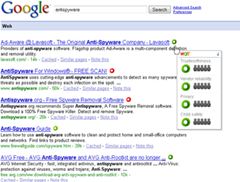
WOT, Web of Trust, warns you about risky websites that try to scam came as a visitor, can submit information about malware or plan to send spam. WOT can also protect your computer against online threats where WOT as your front-line protection when browsing or searching for something on the Internet.

If you will enter a risky website, WOT will warn you and save in your computer before you interact with the sites that are hazardous. WOT combines evidence collected from various reliable sources, such as phishing and spam blacklists, with the assessment given by the users themselves WOT. This system uses sophisticated algorithms to produce reliable information is reliable and up-to-date in the assessment. WOT allows you to adjust the level of protection to create a safe and enjoyable. To protect your family, you can even set WOT to block content inappropriate for children.

WOT's work shows the icon in the color code on each site (the amount of approximately 20 million sites). Color used green, yellow and red, the colors you can use this as information to help you avoid the dangerous sites, so be safe surfing. Note Picture below:

image

WOT
WOT can be installed on your web browser, here is a addon for Mozilla Firefox. Click here to install on your mozilla firefox Surf safer and add WOT to your Firefox now. Google Chrome Begitupun in broadcast pressnya also include WOT in the list of 15 important addon for Google Chrome. Read the full press release here In addition, you also need Computer Anti Virus installed. Internet is available in many options that are free one of them with Virus Free Comodo Antivirus 2.0 Beta Virus or avert or prevent, Improve and Make PC / Laptop Safe From Viruses.

Enjoying Happy

Sunday, October 26, 2008

Internet Introduction

By the turn of the century, information, including access to the Internet, will be the basis for personal, economic, and political advancement. The popular name for the Internet is the information superhighway. Whether you want to find the latest financial news, browse through library catalogs, exchange information with colleagues, or join in a lively political debate, the Internet is the tool that will take you beyond telephones, faxes, and isolated computers to a burgeoning networked information frontier.
The Internet supplements the traditional tools you use to gather information, Data Graphics, News and correspond with other people. Used skillfully, the Internet shrinks the world and brings information, expertise, and knowledge on nearly every subject imaginable straight to your computer.


What is the Internet?

The Internet links are computer networks all over the world so that users can share resources and communicate with each other. Some computers, have direct access to all the facilities on the Internet such as the universities. And other computers, eg privately-owned ones, have indirect links through a commercial service provider, who offers some or all of the Internet facilities. In order to be connected to Internet, you must go through service suppliers. Many options are offered with monthly rates. Depending on the option chosen, access time may vary.
The Internet is what we call a metanetwork, that is, a network of networks that spans the globe. It's impossible to give an exact count of the number of networks or users that comprise the Internet, but it is easily in the thousands and millions respectively. The Internet employs a set of standardized protocols which allow for the sharing of resources among different kinds of computers that communicate with each other on the network. These standards, sometimes referred to as the Internet Protocol Suite, are the rules that developers adhere to when creating new functions for the Internet.
The Internet is also what we call a distributed system; there is no central archives. Technically, no one runs the Internet. Rather, the Internet is made up of thousands of smaller networks. The Internet thrives and develops as its many users find new ways to create, display and retrieve the information that constitutes the Internet.


History & Development of the Internet

In its infancy, the Internet was originally conceived by the Department of Defense as a way to protect government communications systems in the event of a military strike. The original network, dubbed ARPANet (for the Advanced Research Projects Agency that developed it) evolved into a communications channel among contractors, military personnel, and university researchers who were contributing to ARPA projects.
The network employed a set of standard protocols to create an effective way for these people to communicate and share data with each other.
ARPAnet's popularity continued to spread among researchers, and in the 1980's the National Science Foundation, whose NSFNet, linked several high speed computers, took charge of the what had come to be known as the Internet.


By the late 1980's, thousands of cooperating networks were participating in the Internet.
In 1991, the U.S. High Performance Computing Act established the NREN (National Research & Education Network). NREN's goal was to develop and maintain high-speed networks for research and education, and to investigate commercial uses for the Internet.
The rest, as they say, is history in the making. The Internet has been improved through the developments of such services as Gopher and the World Wide Web.
Even though the Internet is predominantly thought of as a research oriented network, it continues to grow as an informational, creative, and commercial resource every day and all over the world.

Who Pays for the Internet?

There is no clear answer to this question because the Internet is not one "thing", it's many things. No one central agency exists that charges individual Internet users. Rather, individuals and institutions who use the Internet pay a local or regional Internet service provider for their share of services. And in turn, those smaller Internet service providers might purchase services from an even larger network. So basically, everyone who uses the Internet in some way pays for part of it.


Electronic mail on the internet

Electronic mail, or e-mail, is probably the most popular and widely used Internet function. E-mail, email, or just mail, is a fast and efficient way to communicate with friends or colleagues. You can communicate with one person at a time or thousands; you can receive and send files and other information. You can even subscribe to electronic journals and newsletters. You can send an e-mail message to a person in the same building or on the other side of the world.

How does E-mail Work?

E-mail is an asynchronous form of communication, meaning that the person whom you want to read your message doesn't have to be available at the precise moment you send your message. This is a great convenience for both you and the recipient.

On the other hand, the telephone, which is a synchronous communication medium, requires that both you and your listener be on the line at the same time in order for you to communicate (unless you leave a voice message). It will be impossible to discuss all the details of the many e-mail packages available to Internet users.


Fortunately, however, most of these programs share basic functionality which allow you to:
     *send and receive mail messages
     *save your messages in a file
     *print mail messages
     *reply to mail messages
     *attach a file to a mail message 

Reading an Internet Address:

To use Internet e-mail successfully, you must understand how the names and addresses for computers and people on the Internet are formatted. Mastering this technique is just as important as knowing how to use telephone numbers or postal addresses correctly.
Fortunately, after you get the hang of them, Internet addresses are usually no more complex than phone numbers and postal addresses.
And, like those methods of identifying a person, an organization, or a geographic location--usually by a telephone number or a street address--Internet addresses have rules and conventions for use.
Sample Internet Address: custcare@aucegypt.edu
     The Internet address has three parts:
  1.a user name [custcare in the example above]
  2.an "at" sign (@)
  3.the address of the user's mail server [aucegypt.edu in the example above] Sometimes it's useful to read an Internet address (like custcare@aucegypt.edu) or a domain name from right to left because it helps you determine information about the source of the address.
An address like 201B6DQF@asu.edu doesn't tell me much about the person who's sending me a message, but I can deduce that the sender is affiliated with an educational institution because of the suffix edu.
The right-most segment of domain names usually adhere to the naming conventions listed below:

EDU   Educational sites in the United States
COM  Commercial sites in the United States
GOV  Government sites in the United States
NET   Network administrative organizations
MIL    Military sites in the United States
ORG  Organizations in the U.S. not covered by the categories above (e.g., non-profit orginaizations).

.xx      where xx is the country code (e.g., .eg for Egypt).

Introduction:

Once you've become adept at using e-mail, you may want to communicate with others on the Internet who share your interests. Newsgroups are one way to do this; the other is through an electronic discussion group. An electronic discussion is a group of persons who have come together to discuss a particular topic via e-mail. There are several methods that network users can use to participate in electronic discussions; however, the basic purpose is to bring together persons with similar interests to share information, ideas, problems, solutions, and opinions. Since an electronic discussion is conducted by e-mail, it's commonly called a mailing list.
If you find yourself interested in a topic, you can subscribe to a suitable mailing list. From then on, any message sent to the mailing list is automatically distributed as electronic mail to you--as well as to all previously subscribed members of that particular discussion. The beauty of a mailing list is that traffic (the mail generated by that list) covers a specific topic and the
mail it generates comes straight to your electronic mailbox, without any extra work on your part.  There are thousands of mailing lists operating on the Internet, dedicated to myriad topics. Some are created to serve local needs only (i.e., a list for the members of a regional computer user group), while many are open to anyone on the network. There are discussions on professional topics, vocational subjects, and topics of personal interest. You can roughly separate the thousands of mailing lists available on the Internet into the following groups: 

Types of discussion lists:

Moderated vs. Unmoderated Lists
Mailing lists can be moderated or unmoderated. The distinction is whether messages are automatically forwarded to all subscribers (unmoderated) or whether a moderator (a human being) first screens and perhaps combines similar messages before sending them to subscribers (moderated). 

Open vs. Closed Lists
Electronic discussions can also be "open" or "closed." Anyone can subscribe to an open discussion, but a closed discussion is limited to a particular group of persons, for example, those in a particular professional field.


Friday, October 24, 2008

FTP File Transfer Protocol

Introduction to FTP, File Transfer Protocol:
Basic commands in FTP:
To do FTP, a user invokes one of two commands:
get the command for transferring a file from another server to your own computer.
put the command for moving a file from your computer to another one.
Who can do FTP? Anonymous vs. authorized priveleges
On many servers, called anonymous FTP servers, anyone can do FTP. All that is required to login is a username (anonymous) and a password (your e-mail address). To get an idea of the many resources available via FTP, you can look at this selected list of FTP servers.
Other servers require you to be a registered "authorized" user before you're permitted to do FTP. In such a case, you would need to contact the system operator for the server you wish to access, and request an authorization and a password. Getting an authorization and password might mean that you can get and put only to specific subdirectories on that server.


Resources available to you via FTP

Freeware
When you download freeware, the author continues to carry the copyright to the software, but permits you to use the program for free. You can share freeware with others, as long as you don't sell it.

Public Domain
When you download public domain software, you can use it freely. The creator carries no copyright, and has released it for anyone to use. There are no limits on distribution or sale--and anyone can modify the program.

Shareware
When you download shareware, the author continues to carry the copyright to the software, but you're permitted short-term use of the program for evaluation purposes. At the end of evaluation period, you must either pay the copyright holder for the program or destroy all copies you've made of it.


Friday, August 15, 2008

Introduction to Internet Terminology

AVI - (Audio Video Interleaved) A Microsoft Corporation multimedia video format. It uses waveform audio and digital video frames (bitmaps) to compress animation.
Bandwidth - The capacity of an electronic line, such as a communications network or computer channel, to transmit bits per second (bps).
Bitmap - A representation, consisting of rows and columns of dots, of a graphics image in computer memory. The value of each dot (whether it is filled in or not) is stored in one or more bits of data. For simple monochrome images, one bit is sufficient to represent each dot, but for colors and shades of gray, each dot requires more than one bit of data.
Bits and bytes -
Bit stands for binary digit: 0 or 1
A byte is made up of 8 bits
It takes 1 byte to store one ASCII character ASCII stands for the American Standard Code for Information Interchange


The combination of bits (which makes up one byte) below represents the letters below
A 0100 0001
B 0100 0010
C 0100 0011
K stands for kilo and = 1024 (2 to the tenth power)
M stands for mega. A MB, megabyte is about a million bytes (1024x1024)
G stands for giga. A GB, gigabyte is about a billion bytes (1024x1024x1024)
T stands for tera. A TB, terabyte is about a trillion!
RAM is usually measured in MB
Hard disk spaces is usually measured in gigabytes
Bookmark - a way of storing your favorite sites on the Internet. Browsers like Netscape or Internet Explorer let you to categorize your bookmarks into folders.
Boolean logic - a type of logic (using AND, OR, NOT operators, for example) used by search engines to find information on the Internet and in electronic databases. (For example, to find computer viruses instead of human viruses, you might try the keywords "computers and viruses.")
Browser - A software program that allows users to access the Internet. Examples:
Non-graphical
a user interface for computers which allows you to read plain text, not pictures, sound, or video, on the Internet. It is strictly text based, non-Windows, and does not place high memory demands on your computer. An example is lynx .(http://lynx.browser.org/)
Graphical
a user interface for computers which enables people to see color, graphics, and hear sound and see video, available on Internet sites. These features are usually designated by underlined text, a change of color, or other distinguishing feature; sometimes the link is not obvious, for example, a picture with no designated characteristic. Examples are Netscape and Internet Explorer.
CGI (Common Gateway Interface script) - a specificiation for transferring information between a Web server and a CGI program, designed to receive and and return data. The script can use a variety of languages such as C, Perl, Java, or Visual Basic. Many html pages that contain forms use a cgi program to process the data submitted by users/clients.
Chat - real-time, synchronous, text-based communication via computer.
Cookie - Information (in this case URLs, Web addresses) created by a Web server and stored on a user's computer. This information lets Web sites the user visits to keep of a user's browsing pattterns and preferences. People can set up their browsers to accept or not accept cookies.
Domain Name - A method of identifying computer addresses. Your e-mail address has a domain address. If you have an "edu" at the end of your e-mail address that means your account is affiliated with an educational institution. A "com" extension means you have a business account. A government account has a .gov suffix.
dpi - (dots per inch) the way the resolution of display and printing is measured.
FAQs - Frequently Asked Questions. A list of questions and answers to explain products and troubleshoot problems.
Firewall - The name "firewall" derives from the term for a barrier that prevents fires from spreading. A computer "firewall" is a barrier between your computer and the outside world. Just like a fire is most likely to
spread through open doors in a building, your computer is most vulnerable at its ports (the doors). Without ports you could not go on the Internet or let Internet traffic enter your computer.
An effective software firewall isolates your computer from the Internet using a code that sets up a blockade to inspect each packet of data, from or to your computer — to determine whether it should be allowed to pass or be blocked.
Firewall software operates in various ways: Packet filters block traffic from IP addresses and/or port numbers. Proxy servers can break the connection between two networks. NATs (Network Address Translators) hides the IP addresses of client stations by presenting one IP address to the "outside" world. Stateful inspection verifies inbound and outbound traffic to be sure the destination and the source are correct. Firewall software can allow your computer to operate in stealth mode, so that its IP address is not visible.
Flash - Animation software used to develop interactive graphics for Web sites as well as desktop presentations and games (Windows and Mac) by the company Macromedia. Flash on the Web is displayed by a browser plug-in. Non-Web presentations are run by a Flash player, included on a floppy or CD-ROM. Flashcan be used to create vector-based graphics in one or more timelines that provide a sequential path for actions.
FTP - Using file transfer protocol software to receive from upload) or send to (download) files (text, pictures, spreadsheets, etc.) from one computer/server to another.
.gif - (graphic interchange format) the usual format for a graphic that is not a photo. Animated gif files are embedded with coding that creates movement when the graphic is activated.
Home page - Generally the first page retrieved when accessing a Web site. Usually a "home" page acts as the starting point for a user to access information on the site. The "home" page usually has some type of table of contents for the rest of the site information or other materials. When creating Web pages, the "home" page has the filename "index.html," which is the default name. The "index" page automatically opens up as the "home" page.
HTML - A type of text code in Hypertext Markup Language which, when embedded in a document, allows that document to be read and distributed across the Internet.
HTTP - The hypertext transfer protocol (http) that enables html documents to be read on the Internet.
Hypertext - Text that is non-sequential, produced by writing in HTML (Hypertext Markup Language) language. This HTML coding allows the information (text, graphics, sound, video) to be accessed using HTTP (Hypertext Transfer Protocol).
Hyperlink - Text, images, graphics that, when clicked with a mouse (or activated by keystrokes) will connect the user to a new Web site. The link is usually obvious, such as underlined text or a "button" of some type, but not always.
Instant Messaging (IM) - a text-based computer conference over the Internet between two or more people who must be online at the same time. When you send an IM the receiver is instantly notified that she/he has a message.
Interlaced - A graphics formatting technique that causes an image to gradually appear on your screen instead of appearing all at once. The image appears blurry at first and is replaced by successive waves of bit streams that gradually fill in the missing lines until the image fully appears in full resolution. This gradually rendering of the image is helpful for Web users who have slow modems and connections, since this technique allows the viewer to see enough of the image to decide whether or not to continue loading it. For fast connections, there is no discernible difference.
Internet - A global network of thousands of computer networks linked by data lines and wireless systems.
[Background history on the Internet -The Internet, originally the ARPAnet (Advanced Research Projects Agency network), began as a military computer network in 1969. Other government agencies and universities created internal networks based on the ARPAnet model. The catalyst for the Internet today was provided by the National Science Foundation (NSF). Rather than have a physical communications connection from each institution to a supercomputing center, the NSF began a "chain" of connections in which institutions would be connected to their "neighbor" computing centers, which all tied into central supercomputing centers. This beginning expanded to a global network of computer networks, which allows computers all over the world to communicate with one another and share information stored at various computer "servers," either on a local computer or a computer located anywhere in the world. The Internet is not governed by any official body, but there are organizations which work to make the Internet more accessible and useful.]
IP Address - (Internet Protocol) The number or name of the computer from which you send and receive information on the Internet.
JAVA - a computer language, developed by Sun Microsystems, that lets you encode applications, such as animated objects or computer programs, on the Internet
Javascript - A Web scripting language developed by Netscape. It was developed independently of the full JAVA language and is an "open" language, free for anyone to use and adapt. For example, The Java Script Source has many scripts people can adapt for their own purposes.
.jpg (or jpeg)- (joint photographic expert group) a file format for photographs on Web pages. The "jpg" format compresses large photo files so they don't take up as many kilobytes of memory.
Listserv - An e-mail list of e-mail addresses of people with common interests. Software enables people who belong to a list to send messages to the group without typing a series of addresses into the message header. Usually members of the group in the listserv have to subscribe to the mailing list.
Modem - A device that connects your computer to the Internet, when you are not connected via a LAN (local area network, such as at work or on a campus.) Most people connect to a modem when using a home computer. The modem translates computer signals to analog signals which are sent via phone lines. The telephone "speaks" to the computer/server which provides your Internet access.
MPEG - (Short for: Moving Picture Experts Group)
MPEG-1
Format for compressing video with audio for playback from storage
media with low data transfer rates such as CDROMs or over the network at
VHS quality.
MPEG-2
Format for compressing video with audio at broadcast quality
resolution for playback in higher data transfer rate environments. Usually
used for real-time encoding in the professional market, satellite digital
television (DirecTV, USSB), and for DVDs and other types of video CDs.
MP3
MPEG Layer 3
Format for compressing audio only defined in both MPEG-1 and
MPEG-2. Commonly used for digital music played on personal computers (MP3
songs) but also targeted at applications such as digital phones and new
hardware MP3 players intended as discman or car CD player replacements.
Multimedia - The Web's integration of audio, video, graphics and text.
Newsgroup - An Internet "site" centered around a specific topic or course. Some newsreader software can "thread" discussion so there can be various topics centered around a central theme. An advantage over e-mail is that the messages are archived and don't reside in your e-mail account, taking up your memory, unless you set up a "sent mail" or "carbon copy" option. The messages can often be threaded according to a particular discussion.
PHP - (Hypertext Preprocessor) open source, server-side HTML scripting languaage used to create dynamic Web pages. PHP is embedded within tags, so the author authorr can move between HTML and PHP instead of using large amounts of code. Because PHP is executed on the server, the viewer cannot see the code. PHP can perform the same tasks as a CGI program can do and is compatible with many different kinds of databases.
Portal - A Web site "gateway" that provides multiple services, which could include Web searching capability, news, free-email, discussion groups, online shopping, references and other services. A more recent trend is to use the same term for sites that offer services to customers of particular industries, such as a Web-based bank "portal," on which customers can access their checking, savings and investment accounts.
RSS - (Rich Site Summary or RDF [Resource Description Framework] Site Summary). An XML format for sharing content among different Web sites such as news items. How does it work? A Web site can allow other sites to publish some of its content by creating an RSS document and registers the document with an RSS publisher. A web publisher can post a link to the rss feed so users can read the distributed content on his/her site. Syndicated contentcan can include news feeds, listings of events, stories, headlines, etc.
Search Engine - specialized software, such as AltaVista and Yahoo, that lets WWW browser users search for information on the Web by using keywords, phrases, and boolean logic. Different search engines have different ways of categorizing and indexing information. Search engines are accessed by typing in the URL of that engine or using a browser's compilation of search engines in its Internet search function.
Shockwave - A three dimensional (3D) animation technology/format creataed by the Macromedia company. Macromedia Director producess Shockwave files, which can be viewed through a Shockwave player, a browser"plug-in" computer program or other multimedia applications that access the player. Shockwave can be used to create more sophisticated animations than the Macromedia Flash format. Shockwave uses the .dir file extension for source files and .dcr extension for Shockwave "movies."
Telnet - The command to log on to another computer on the Internet.
URL - A universal resource locator (a computer address) that identifies the location and type of resource on the Web. A URL generally starts with "http."
Vector - A line in computer graphics designated by its end points (x-y or x-y-z coordinates). A vector layer does not use pixels for storing image information. Instead, it stores a vector object as a set of properties that describe its attributes, dimensions, and position in the image. Each time an image is opened, these properties are used as instructions for drawing the objects. Because the objects are independent elements, you can move them without affecting the rest of the image.
Virtual Community - a term commonly used to describe a group of people who exchange ideas through computer networks, listservs, newsgroups, and Web-based bulletin boards. They might not ever meet face-to-face. Generally these people meet over the long-term, on a regular basis, and share their ideas about a variety of subjects, depending upon their special interest. The discussions could relate to hobbies, music, health, self help issues, and professional and scholarly activities.
Virus - a computer program usually hidden in an existing program. Once the existing program is executed, the virus program is activated and can attach itself to other programs or files. Viruses can range from benign activities such as attaching a harmless message to performing malicious activities such as destroying all the data on a computer hard drive. Viruses are commonly distributed as e-mail attachments which activate when the attachment is opened. Virus protection software, updated regularly with the latest virus definitions, can help protect computers from viruses.
Web Bot - A term that applies to programs/applets (macros and intelligent agents) used on the Internet. Such bots perform a repetitive function, such as posting messages to multiple newsgroups or doing searches for information.
Wide World Web (WWW) - A hypermedia information storage system which links computer-based resources around the world. Computer programs called Browsers enable words or icons called hyperlinks to display, text, video, graphics and sound on a computer screen. The source of the material is at a different location - a different file in the same directory, a file in another computer, which can be located anywhere in the world.
WORM - A destructive computer program that replicates itself throughout your computer's hard drive and and memory. Worms use up the computers resources and pull the system down. Worms can be spread in mass-e-mailing if the user opens an attachment.
(2) A program that moves through a network and deposits information at each node for diagnostic purposes or causes idle computers to share some of the processing workload.
XML (Extensible Markup Language) - is a less robust variety of SGML, a system for organizing and tagging elements of a document so that the document can be transmitted and interpreted between applications and organizations. Human readable XML tags defines "what it is," and HTML defines "how it looks." XML allows designers to create their own tags. For example:
HTML
<font size="2">Jane Doe</font>
<b>March 27, 1975</b>
XML
<firstName>Jane</firstName>
<lastName>Doe</lastName>
<dateBirth>03-27-75</dateBirth>
In the HTML version the tags identify formatting options, such as font size and bold. In the XML example, the tags identify the content.
Because XML can support business-to-business transactions by making the transmission and interpretation of data easier, it has the potential to become the standard for the exchange of data over the Internet.

Friday, June 20, 2008

Language of the Internet

The Net, The Information Superhighway: The Internet

The Web, WWW, W3, W3: The World Wide Web
Web Page: A single Web document. Everything you can see in your browser window at one time (including what you can see by scrolling) makes up one Web page.

Browser, Web Browser: The piece of software that runs on your computer and allows you to view Web pages. The most common browsers are Netscape and Internet Explorer.

Web Site: A set of Web pages that are logically connected. They usually have a consistent look and feel, and are all related to the same theme.

Home Page: The starting, introductory or welcome page for a Web site. A person's own home page is a Web page that describes all about them.

Link, Hot Link, Hyper Link: A part of a Web page that can be clicked to get somewhere else - eg This is a link to the English Online Home Page. Links usually turn up a different colour and/or underlined in your Web browser.

Broken Link: A link that references a page that no longer exists. If you click on a broken link you will get some kind of "Page not found - Error 404" message.

Hypertext: Text that can contain links.

HTML: Stands for HyperText Markup Language. This is the language that all Web pages are written in.

URL: Stands for Uniform Resource Locator. This is the address of a Web page - for example http://english.unitecnology.ac.nz/resources/resources/tutorial/introduction/language.html is the URL of this Web page.

Webserver, Web Server: A Webserver is a computer which holds a number of Web pages, and 'serves' them out to computers that request them. There is nothing very special about the actual computer - it's just an ordinary computer (though usually a fairly powerful one) running special software. Surf: "Surfing the Web" means casually using the Web - not really having any direction, just clicking the links that look interesting to find yourself in weird and interesting places.

Cyber: Virtual - not real but existing only in the context of the Internet.

Cyberspace: A conceptual place that doesn't actually physically exist - but you can roam around in it, visit places, meet other people there, chat to them, go shopping ... Cyberspace is a real world metaphor for the Internet.

Newbie: A person who is new to the Internet, or new to a particular aspect of the Internet such as a service (IRC, usenet) or a particular group (a specific mailing list or newsgroup).

Post: When you send a message to a discussion forum, you're posting. This word can be used as a verb ("I posted a message") or a noun ("that was a nice post").

FAQ: Stands for Frequently Asked Questions. They originate from online discussion forums where more experienced users got sick of answering the same "newbie" questions over and over again. So they started writing lists of frequently asked questions and their answers so newbies could refer to those. The concept has grown, and now a FAQ is more general - designed as an introduction to a certain topic.